Profile
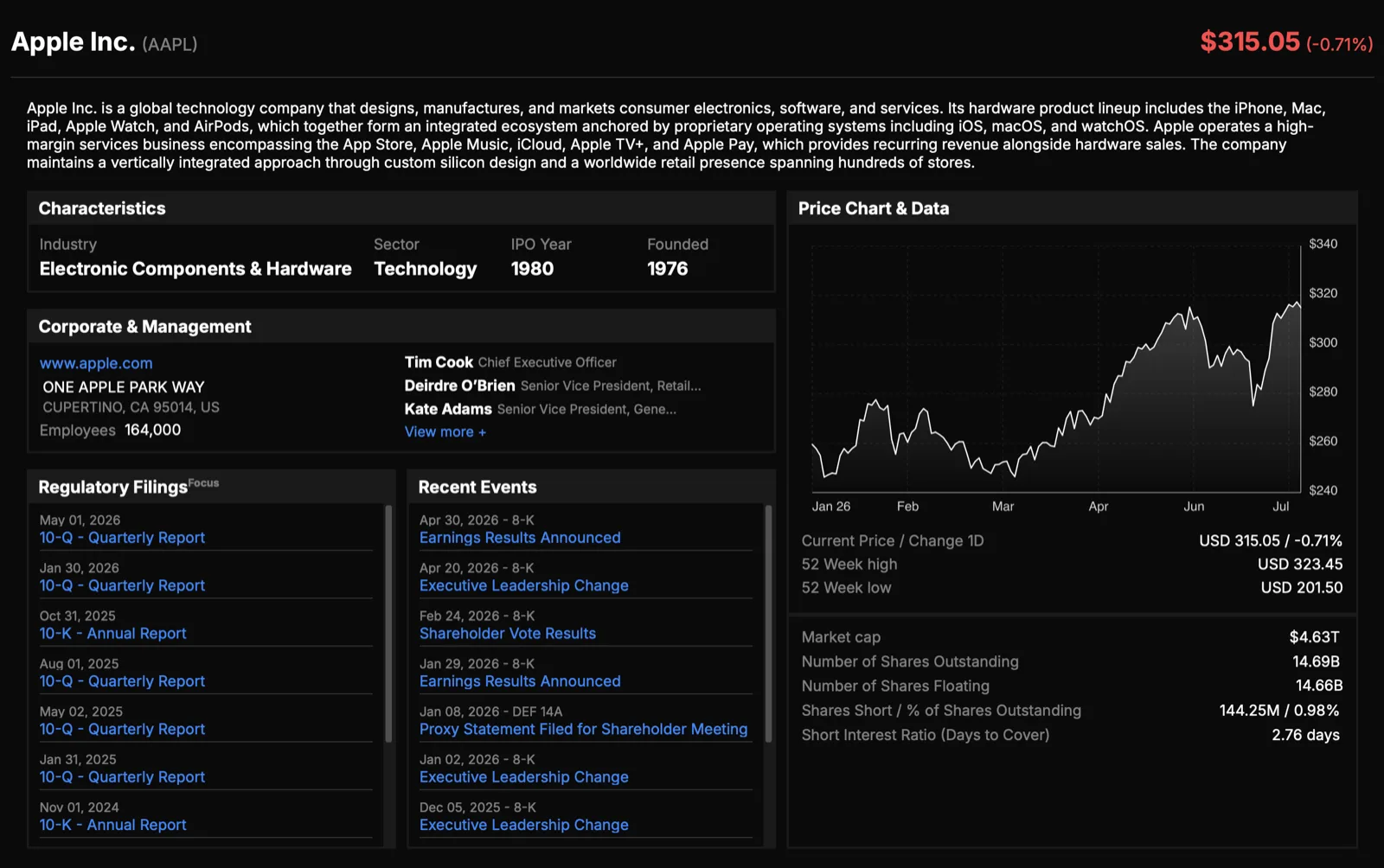
The Profile view is the company's overview. It collects the description, key figures, filings, recent events, and leadership on one screen.
What you'll see
- Company description: a summary of the business, with a "View more" option when the text is truncated.
- Key stat cards: market cap, current price and daily change, 52-week range, shares outstanding and float, short-interest measures, and employee count.
- Characteristics: industry, sector, IPO year, and year founded.
- Latest filings: links to the most recent annual and quarterly reports (10-K and 10-Q, or 20-F for foreign issuers).
- Recent Events: recent filings shown with a date and the source filing type.
- Executives: the leadership roster by role (CEO, CFO, and so on).
What you can do
- Click a filing link to open the document.
- Click View more on the executive roster to jump to the full management view in the Business tab.
Note
Several figures, including employee count, filings, and news, load independently and fill in as they arrive.