Business
The Business view covers how a company operates, who leads it, and where its risks lie. You can switch between three tabs: Overview, Management, and Risk.
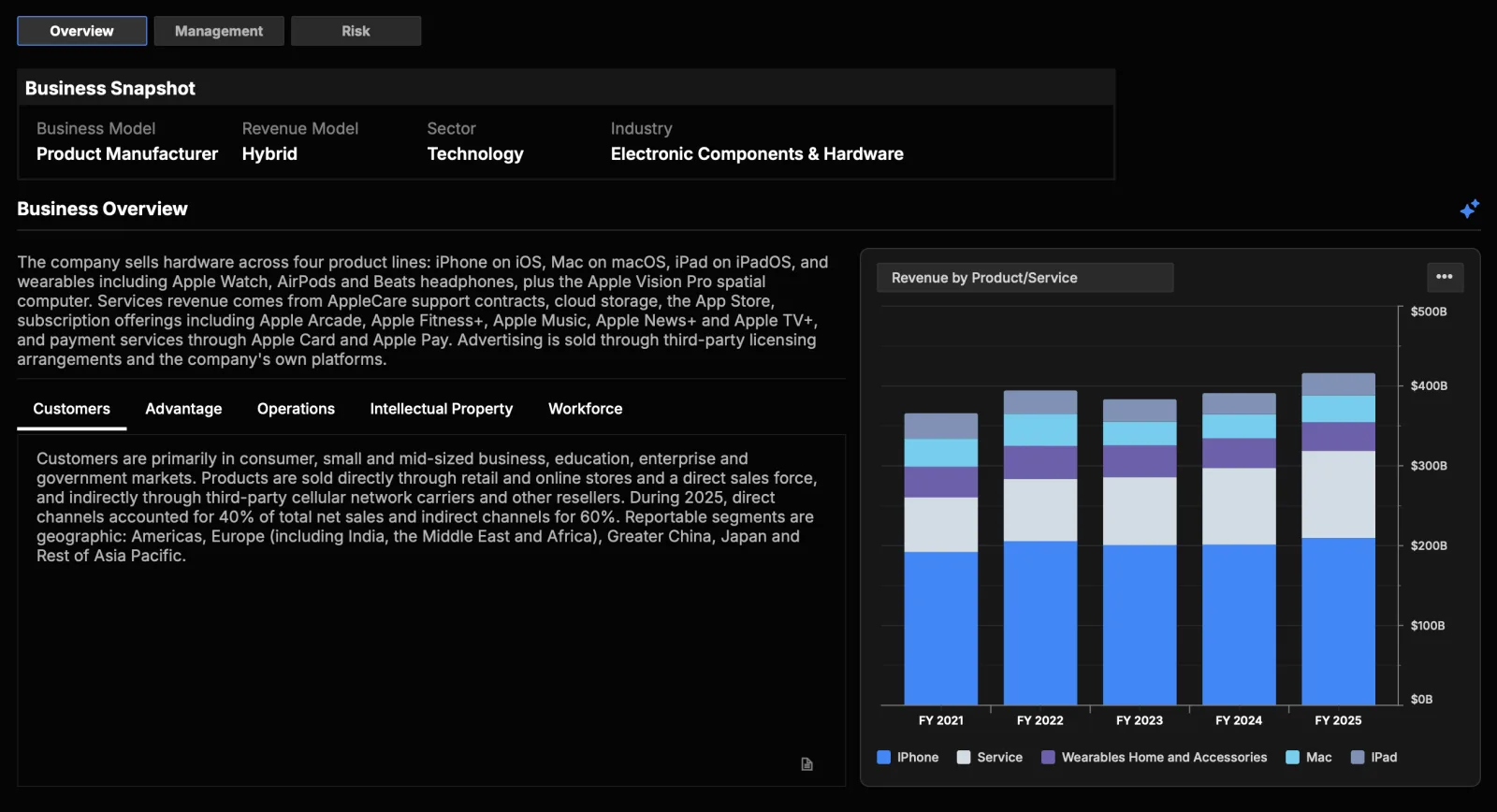
Overview
A structured summary of how the company makes money, organized into sections — Business Model & Revenue, Customers & Markets, and Competitive Position, plus up to a few additional ranked sections where relevant (such as Strategy & Growth Drivers or Operations & Supply Chain).
- A Revenue Segments chart breaks down the company's revenue, with a selector for the dimension (product/service, business segment, or geography) and export to PNG, PDF, or Excel.
- Use the Generate Business Analysis button to produce or refresh the summary. Summaries are cached, so returning to a company shows the stored version rather than regenerating it.
AI-assisted
The business summary is generated with AI. Confirm important details against the company's filings.
Management
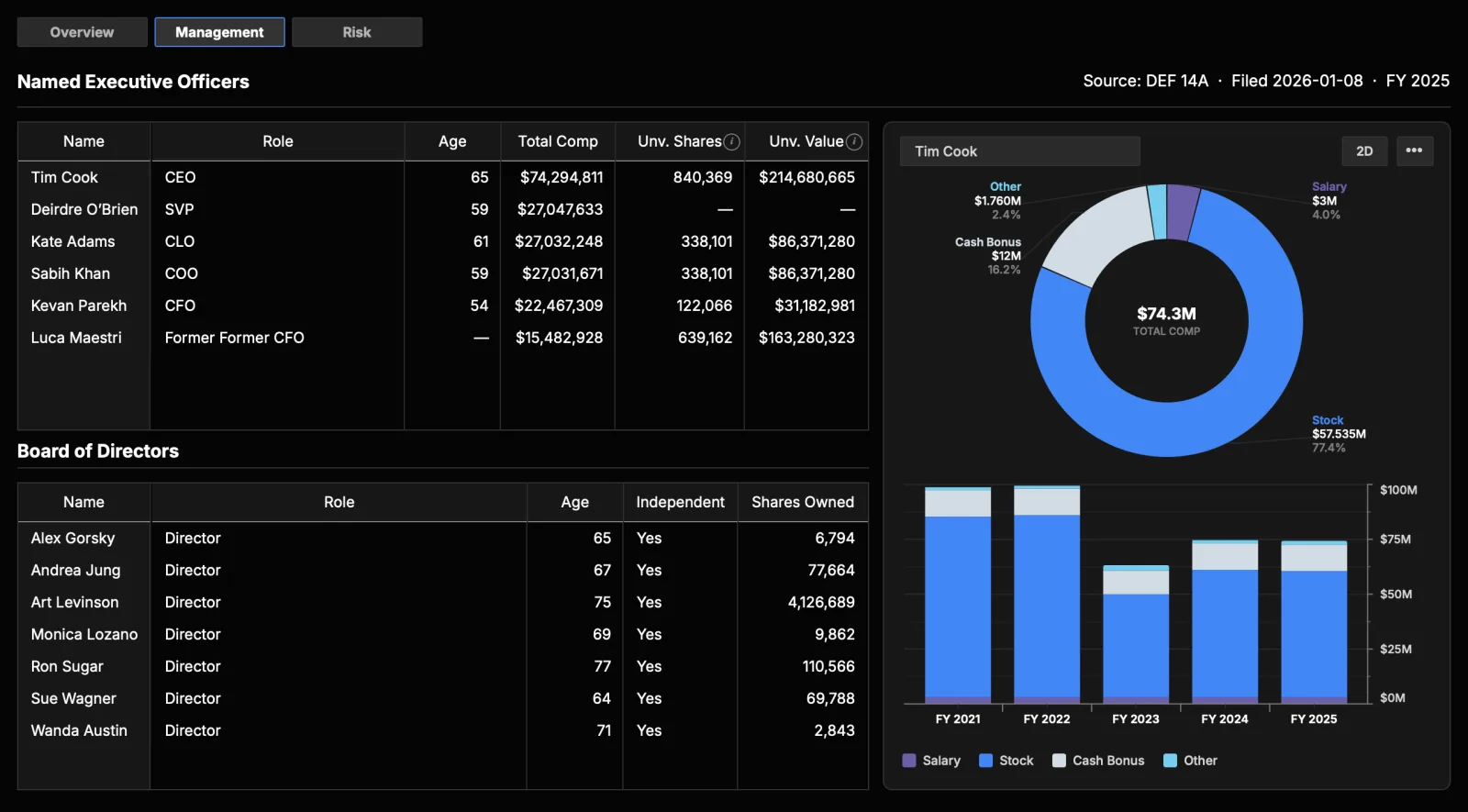
A roster of the company's leadership with role detail and executive compensation. This is the same view the Profile tab's View more link on executives opens.
- Named executive officers: role, age, total compensation, and unvested shares with their value.
- Compensation breakdown: the selected officer's pay split into salary, stock, cash bonus, and other, plus the same split across recent fiscal years.
- Board of directors: role, age, whether the director is independent, and shares owned.
Figures come from the company's annual proxy statement, with the source filing and fiscal year shown above the tables.
Risk
A risk-focused view of the company:
- Debt profile: a breakdown of debt by type and maturity, interest burden, and leverage.
- Credit ratings: ratings from the major agencies, when available.
- Risk factors: summaries of the key risks disclosed in the company's filings, grouped into categories you can expand and collapse.
Risk-factor summaries are AI-extracted from regulatory filings and labeled as such.